You may have seen Andrej Karpathy talk about "LLM Wikis." They turn your unorganized thoughts into easy-to-navigate notes, wikis, or visualizations. It's an incredibly powerful tool for researchers, software developers, scattered notetakers... basically everyone. Here's the system to have agents organize your second brain automatically:
- Start taking notes as markdown
- Add an /enrich-note skill that instructs agents to add tags, sources, and backlinks
- Add a wiki skill that compounds notes into a persistent knowledge base
- Create automations that run these skills on a schedule
- Add visualizations built live from your notes
Let's go set this up.
Step 1: one directory of raw markdown
We're going to take our notes as Markdown to make them easily accessible to agents. You can use Obsidian for this, or if you want a friendlier app that feels more like Apple Notes, I built one: Hubble.md.
Following Andrej Karpathy's recommendation, we'll put all of our handwritten (or voice-transcribed) notes in a raw/ directory. These files are raw, unfiltered thoughts, for our agents to work with.
raw/
├── rick-rubin-s-philosophy-of-simplicity.md
├── nvidia-blackwell-architecture.md
├── insights-from-sell-like-steve-jobs.md
└── acquired-pod-ferrari.md
Here's a sample I rambled out using a voice transcription tool after listening to Acquired's Ferrari episode:
# Ferrari (Acquired)

It was super interesting how they described Ferrari as a brand, where
it's both a combination of a luxury brand, like a Hermes or a Gucci,
but also a sports team, which explains why they can put their logo on
everything down to an Acer laptop...
Note there's no metadata and no backlinks. Honestly, you don't even need the header. The agent will handle those details for you.
Step 2: the /enrich-note skill
Let's have agents enrich these notes with details for easy retrieval. I wrote the /enrich-note skill to do this. You can grab it (and every other skill in this post) with one command:
npx skills add bholmesdev/llm-knowledge-base-skills
The skill does three things:
1. Tags: The skill maintains a shared tag registry as a tags.md file listing every tag with a one-line description. I suggest tags relating to the medium of the source (blog, podcast, video) and others relating to topics / areas of interest (ai-hardware, business, rust). The agent is also told to reuse existing tags and be reluctant to coin new ones. Otherwise, I've found agents invent tags too liberally.
2. Sources: If the note came from somewhere (a podcast, a book, a video) the agent does some web research to find the source URL and records it in frontmatter.
3. Related notes: The agent greps the rest of the vault for genuinely related notes and adds them as wikilinks in a ## Related section. This can be an expensive operation, but no more expensive than asking an agent to complete a coding task in a small-to-medium-sized codebase. I personally have hundreds of notes. If you test this on a larger corpus let me know what you've learned or optimizations you've found.
After a pass, that Acquired podcast note on Ferrari looks like this:
---
tags: [podcast, business, branding]
source: "Acquired podcast — \"Ferrari\""
url: "https://www.acquired.fm/episodes/ferrari"
enrichedAt: "2026-06-27T23:40:26Z"
---
# Ferrari (Acquired)

...

## Related

- [[raw/walt-disney.md|Walt Disney on Acquired]]
Note the enrichedAt stamp. That's how an automation knows which notes have been enriched in the past. Idempotency matters when we start running this skill on a schedule.
Step 3: the wiki skill
Enriched notes are searchable, but they're still fragments. The next layer up is a wiki: a persistent, interlinked knowledge base that an agent builds from your notes.
This comes directly from Karpathy's llm-wiki gist, which I'd recommend reading in full. The core idea: have an agent generate a frontpage around an area of interest (in my case, coding agent tips or religious studies) that is easy-to-navigate.
This is useful for you since it creates an easy-to-scan index of people, places, and things. But it's also useful for agents to navigate whenever you ask questions relating to your notes. Instead of RAG-style retrieval where the LLM rediscovers your knowledge from scratch on every question, the agent maintains a compounding artifact: entity pages, topic syntheses, an index, a log. As Andrej puts it: "the LLM is the programmer; the wiki is the codebase."
To get started, paste the gist into your agent and add a sentence about what you want. Something like:
Read this: https://gist.github.com/karpathy/442a6bf555914893e9891c11519de94f. Set up a wiki in
wikis/latest-ai/that tracks coding agent tips from my notes - model prompting, orchestration patterns, useful agent skills, etc. Seed it from anything relevant inraw/.
The agent scaffolds the directory, writes its own AGENTS.md schema with wiki maintenance instructions, and ingests your existing notes.
From then on, I wrote a skill to "refresh" that wiki over time: /refresh-wiki. This looks for new or changed notes in raw/, ingests the relevant ones into each wiki, updates entity and concept pages, and runs a lint pass for contradictions, orphan pages, and stale claims.
Here's a trimmed view of the index.md for my "Latest in AI" wiki. This was built from podcast and video notes I've taken over the past few months, and every entry links to a full page the agent writes and maintains:
# Index — Latest in AI wiki

## Sources (20)

- [[nvidia-blackwell|NVIDIA Blackwell Architecture]] — Gavin Baker note on GB200/B200, token efficiency, and the shift from raw intelligence to usefulness.
- [[ralph-loops|Ralph Loops in Claude Code]] — Theo note on wrapping Claude Code in external scripts for REPL-like loops.
- [[ai-music-production|The Impact of AI on Music Production]] — Adam Neely/Suno note about curation vs. creation.
...

## Concepts (16)

- [[agent-loops|Agent Loops]]
- [[software-factories|Software Factories]]
- [[inference-economics|Inference Economics]]
...

## People (8)

- [[boris-cherny|Boris Cherny]] — Creator of Claude Code; cited as saying his work has shifted from prompting Claude to writing loops.
- [[andrew-wilkinson|Andrew Wilkinson]] — Quoted on Claude Code helping him move at the speed of his ADHD.
...
I also keep a wiki for my Bible study through Lee Strobel's The Case for Christ. The book is a long series of expert interviews, so the agent built out a "people" index with a page for every interviewee: who they are, and what they argued. I've found this super helpful for revisiting arguments weeks later, since names tend to blend together for me without a glossary:
## People (18)

- [[lee-strobel]] — author/journalist; the investigator and convert.
- [[craig-blomberg]] — New Testament scholar; gospel reliability & early dating.
- [[alexander-metherell]] — physician; the medical reality of the crucifixion.
- [[william-lane-craig]] — apologist; the empty tomb & the God hypothesis.
- [[gary-collins]] — psychologist; the mental health of Jesus.
...
Step 4: automations
These skills are useful, but I'd rather not re-run these every time I go to browse my notes or ask an agent a question. Both skills have loop variants designed to run on a schedule:
- /enrich-notes-loop wraps /enrich-note and walks every note you've taken recently, using
enrichedAtto ignore previously crawled entries. - /refresh-wiki walks through your
wikis/directory and updates every wiki it finds. (You'll want your wikis in awikis/directory. You can tweak all of this to taste.)
There are two options I'd suggest trying: local automations to get started, and cloud automations to make the workflow durable.
Local Automations with Codex
You can schedule these in a few ways. One is a local automation that runs on your computer, waking up to organize the notes folder on a cron. The Codex app offers this from the Scheduled tab:
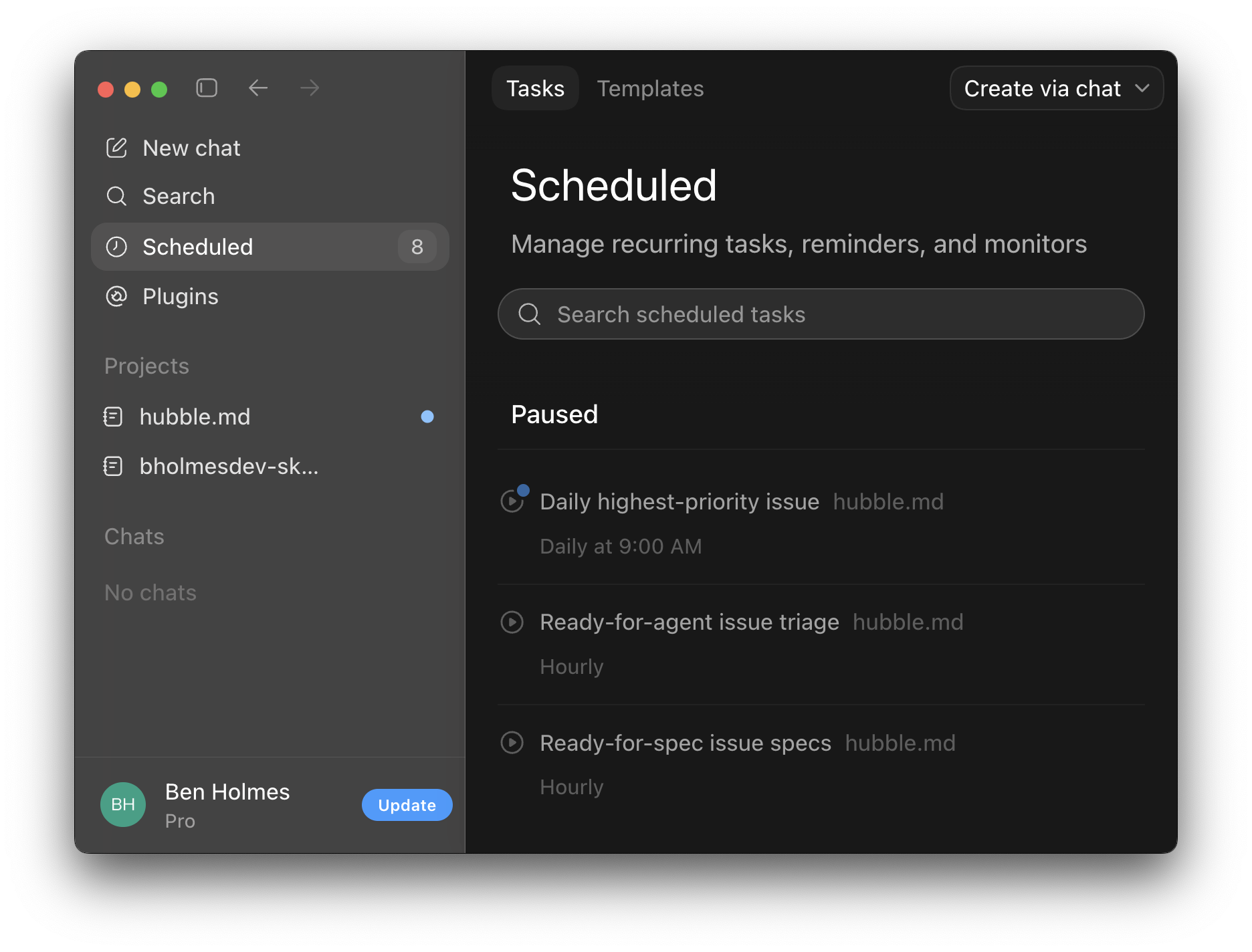
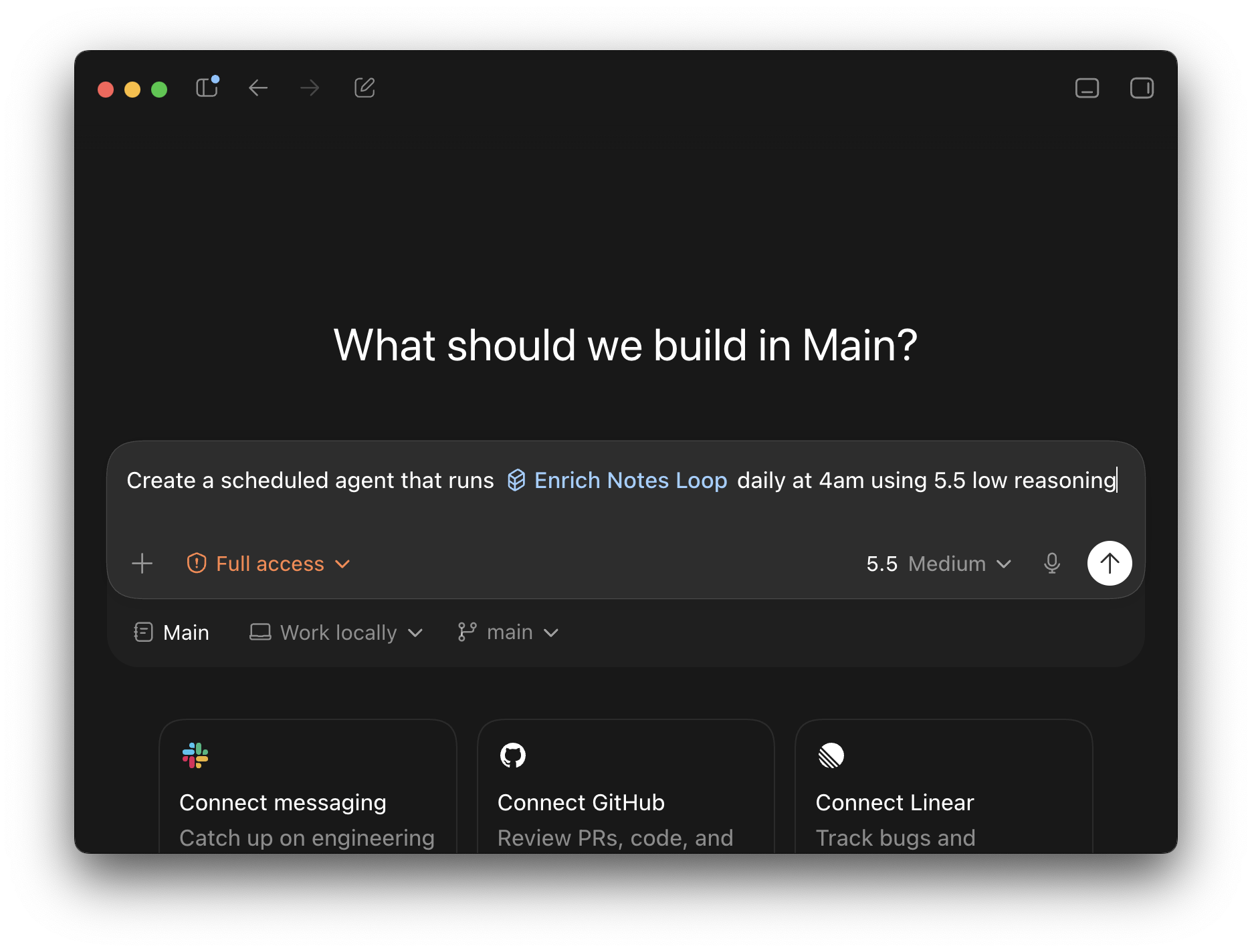
From here, click "Create with chat," select the directory where your notes live, and specify the skill to run. I suggest scheduling to run daily on an overnight schedule. I also suggest a lower reasoning level for /enrich-notes-loop since it's a less ambiguous skill. For wiki generation, a higher reasoning level may let the model be more thoughtful / creative. Tweak to taste.
Cloud Automations
While local automations are the easiest way to get started, they do have a pretty obvious drawback: your computer will need to be awake and running for the task to execute. Codex in particular did ensure that scheduled jobs run even when a laptop lid is closed. Still, I noticed when I went out of town for a few days that my automations stopped running since I forgot to plug in my laptop... 🤦♂️
Given that, I'd suggest trying cloud runners. Here's a setup guide with the tools I use:
- oz.dev to create a cloud sandbox connected to open-weight models
- Obsidian Sync to sync markdown notes to the cloud
- Obsidian's headless CLI to access those notes programmatically from a cloud sandbox
Oz is Warp's cloud hosting platform for agents. It charges mostly at token cost, yes. But open-weight models like Kimi k2.6 are highly token efficient (3-4x fewer tokens than Claude's models) and high quality.
Here's the flow each scheduled run follows:
- The agent uses the Obsidian CLI to pull the vault down into the cloud sandbox
- It runs /enrich-notes-loop or /refresh-wiki
- It pushes the results back up, which sync down to your machine
I wrote two more skills to run these with the necessary cloud sandbox setup: /enrich-notes-loop-cloud and /refresh-wiki-cloud. They're thin wrappers that sync the vault down, run the base skill, and sync back up.
The environment and schedule setup is a handful of oz CLI commands, so I encoded that as a skill too: /setup-oz-automations. First, make an account: go to oz.dev and click "start an agent." That takes you through login, where you can create an account. Then install the skills (if you haven't already) and hand the rest to your agent:
npx skills add bholmesdev/llm-knowledge-base-skills
Run the /setup-oz-automations skill
The skill checks for Warp's Oz platform skill (installing it with npx skills add warpdotdev/oz-agent-skill if it's missing), asks for your vault name and Obsidian auth token, then creates the environment and both schedules: nightly note enrichment, weekly wiki refresh. You can pause a schedule anytime with oz schedule pause, and every run leaves a session transcript you can review from the Oz dashboard.
Step 5: visualizations
Alright, now we have beautiful webs of markdown with tags, backlinks, index pages, and deep wikis to explore. But what if we go beyond text?
Since everything is markdown files in a directory, an agent can build interactive visualizations on top of them using HTML. I've built a few examples you can plug into your setup, assuming you have your notes in a raw/ directory:
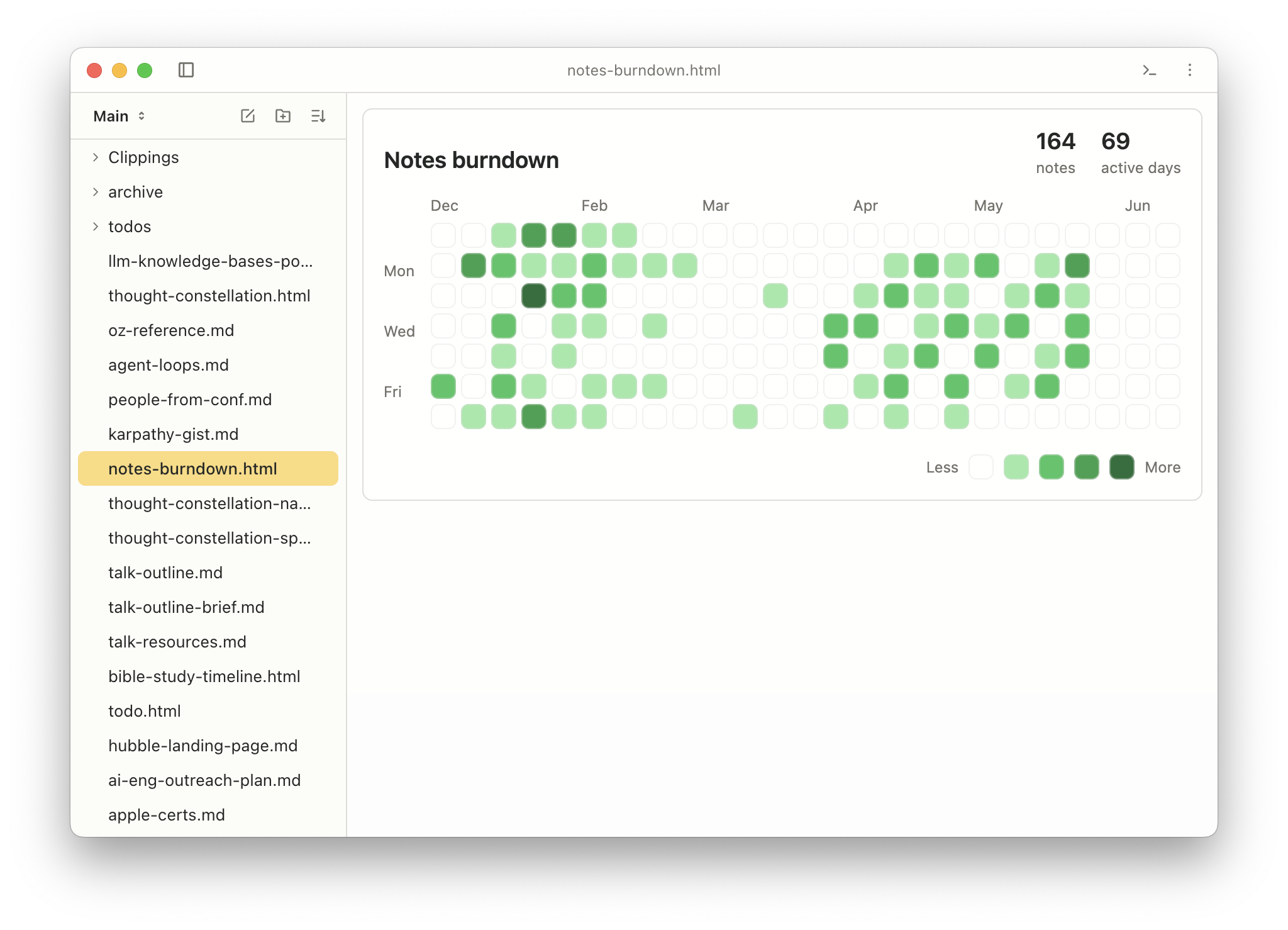
Notes burndown: a GitHub-style activity graph of your note-taking over time. I'm using it to build a consistent journalling habit.
Thought constellation: display notes as a graph clustered by your most-used tags (a payoff of /enrich-note). It helped me find my most referenced notes for a second read, and figure out gaps where I should focus next (clearly I need to read more...)
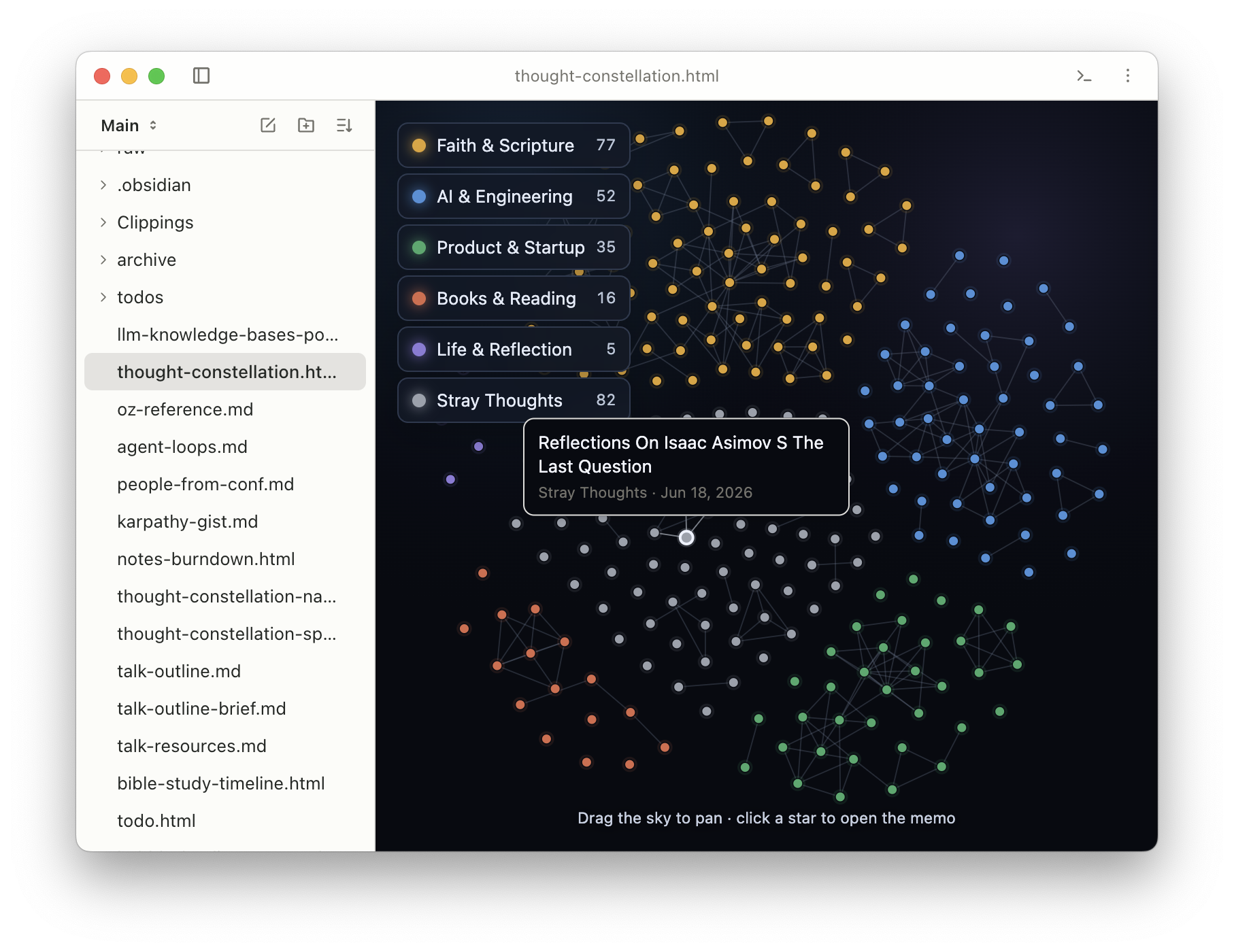
You can build these as one-off visualizations updated on a schedule, similar to our /enrich-note and wiki examples. But if you want these to live-update by reading files from disk, you can view these visualizations within Hubble.md. This is the markdown notes app I mentioned earlier. This lets you view HTML apps alongside your notes, and injects runtime APIs to read files in the current directory to build visuals that update programmatically.
Go write things down!
All the skills and visualizations are in this GitHub repo. To start, just ask your agent to convert your existing notes into Markdown (Apple Notes, Notion, Granola, etc. all support this). Then try some of the skills I shared here to see if they help you. Build a wiki around your next research project, side hobby, or agentic coding session. Invent a new visualization and share it here. I'm curious what you come up with!
Also, give Hubble.md a try. It's free and open-source :)